

Fyshh Aero·FLT
Every flight recorded and every landing scored.
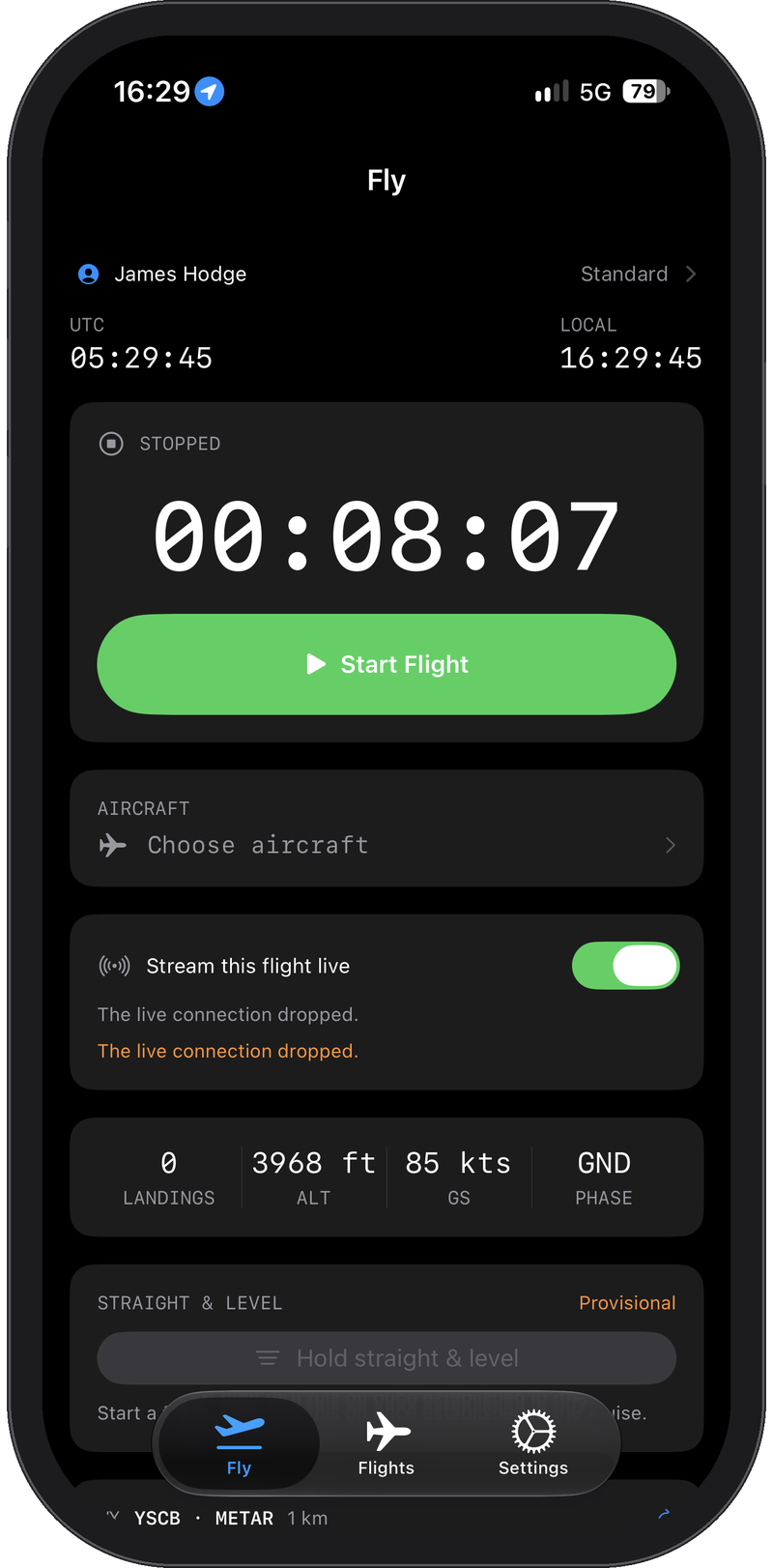
The FLT app turns the iPhone and Apple Watch you already carry into a flight data recorder, an objective post-flight debrief tool, on the phone and on the web, and a set of in-flight pilot aids, capturing a complete record of every flight from taxi to shutdown.
Be part of our early testing program and download FLT for free from the iOS App Store now. Early testers receive the Standard subscription free for life when the full release ships.
Record
FLT records every flight without being asked
Start a flight from the phone's Fly tab or let the watch start it when the aircraft begins to roll. From then on FLT keeps the record without your attention.
- Engine time and track. Engine start to shutdown, with a GPS track for the map.
- Circuit-grade event detection. A self-calibrating model tracks where the aircraft is in the circuit, so repeated touch-and-goes on one approach each count, a bounce or a balloon is not double-counted, and a balked approach at any stage is logged as a go-around.
- Self-calibrating field elevation. The runway reference is learned from the flight itself, so a wrong ground altitude at start-up does not cost you a landing count.
- Taxi-proof. Nothing below flying speed can look like a circuit, and stop-and-go landings don't get confused for breaks in flight segments.
- Resilient and resumable. A checkpoint every 30 seconds lets the app recover the flight in progress in the event of phone issues or battery depletion, and a stopped flight can be resumed within ten minutes so an accidental stop does not fragment your log.
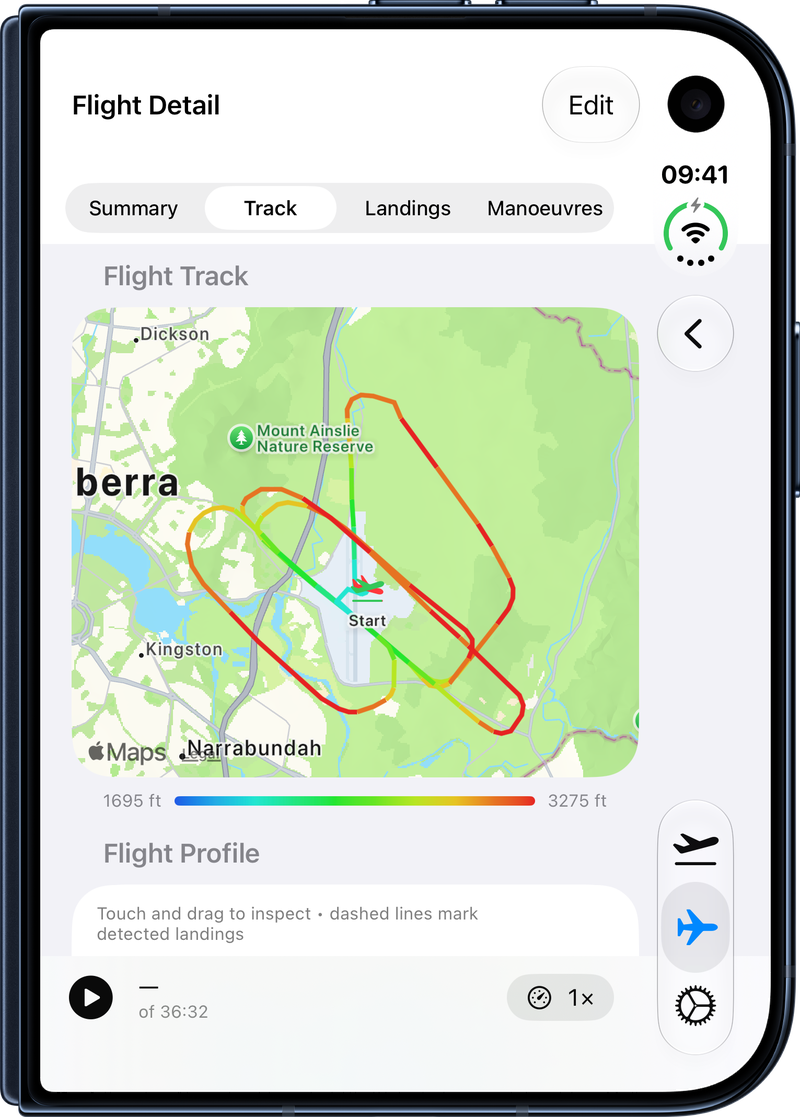
Altitude
Sensor-integrity arbitration chooses the altitude to trust on every cycle
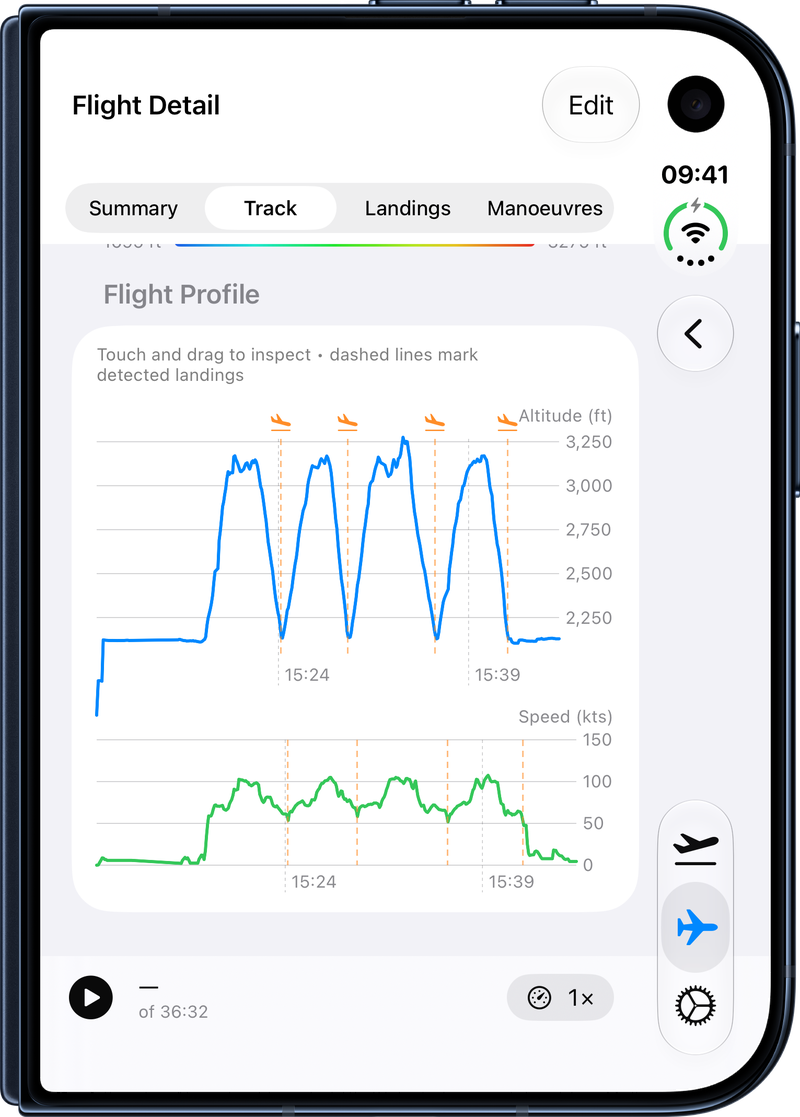
Both your iPhone and Apple Watch incorporate a barometer and a GPS, so in an unpressurised aircraft your altitude reading arrives from four sources at once. The barometer is far less noisy but can quietly stop reporting, and the GPS can jump if visibility isn't great. FLT converts pressure to altitude against the QNH you enter, then uses evidence learned in flight and the last agreed value to decide which source to trust on every cycle.
- A live barometer jitters. A pressure value frozen across many fixes is a sensor that has stopped, and FLT sets it aside.
- Aircraft don't teleport. A step of hundreds of feet in a second, from either source, is rejected.
- Nothing is thrown away. Arbitration happens in real time for the in-flight aids such as the altitude warning, but the raw data from every sensor is always logged, so a flight can be re-analysed later as the algorithms improve.
- Your units. QNH in hPa or inHg, altitude in feet or metres, speed in knots or km/h.
Weather
The nearest aerodrome's ATIS or METAR, on the phone and on the wrist
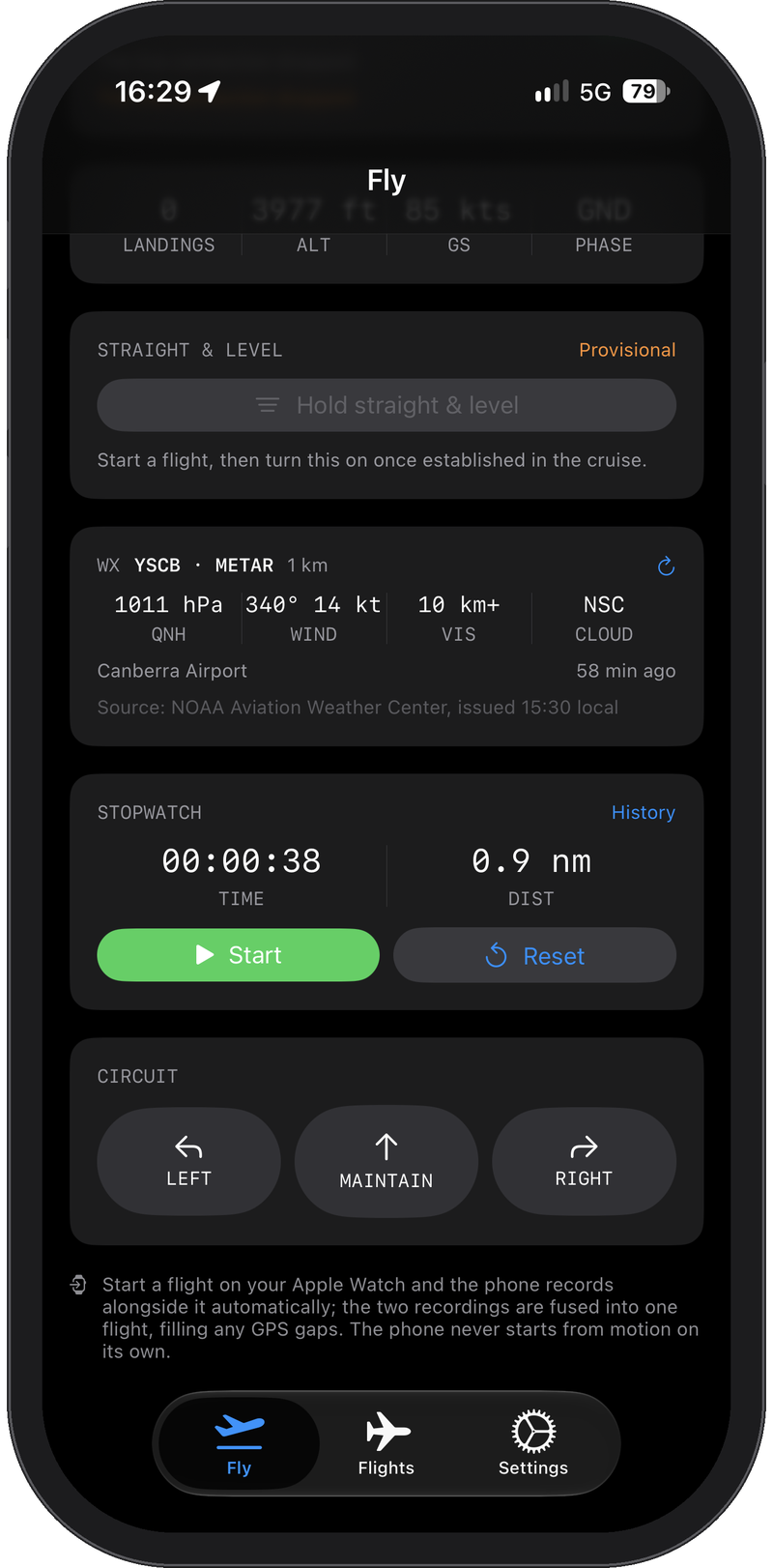
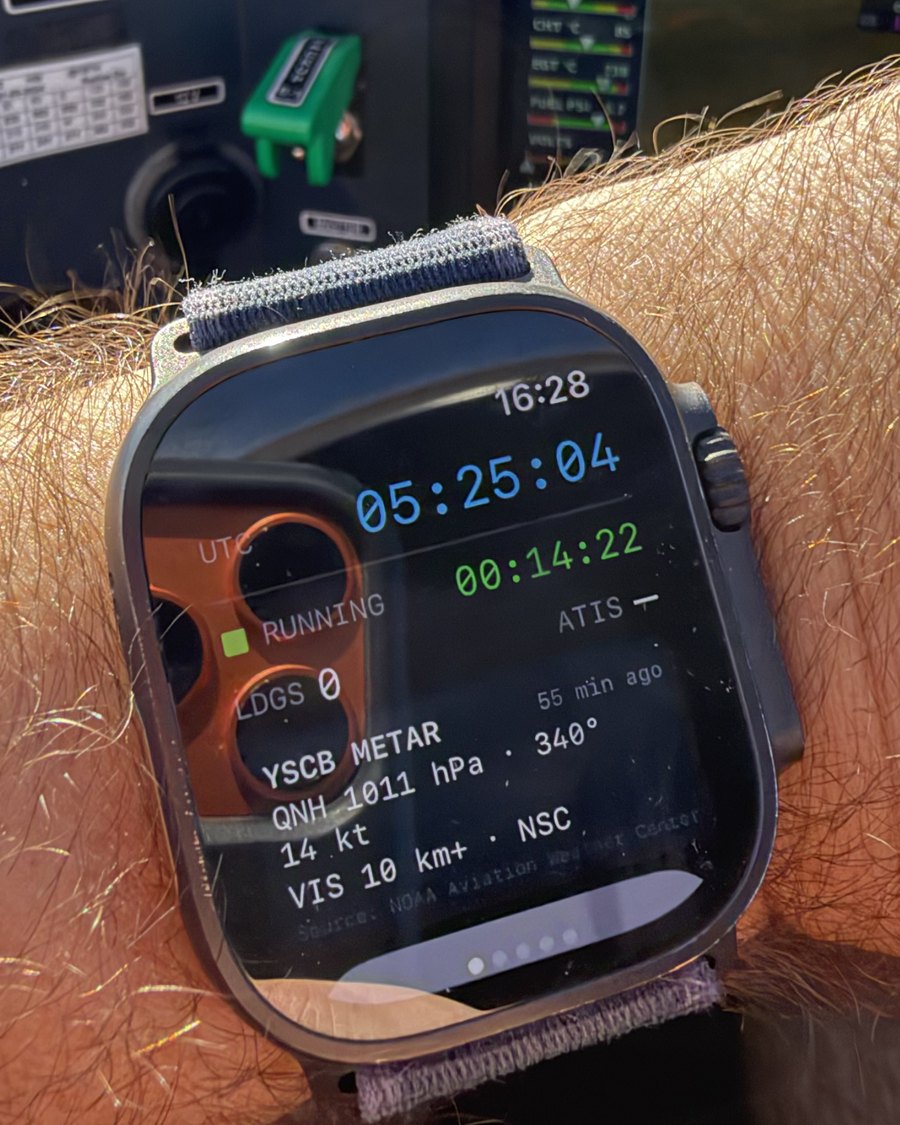
With a Standard subscription the Fly tab carries a weather card for the nearest aerodrome: QNH, wind, visibility and cloud from the current ATIS or METAR, with the station, its distance and the age of the report. The QNH is offered to the altimeter setting with one tap, so the altitude arbitration works from the current pressure, and the same card is on the watch's status screen.
- Through Fyshh Aero's servers. The app sends its position to find the nearest stations; nothing about you goes to the weather services. The card names its source and when the report was issued.
- Refreshes during the flight, so a leg flown after a new report is judged against that report's wind.
In-flight pilot aids
Reminders you feel, not hear
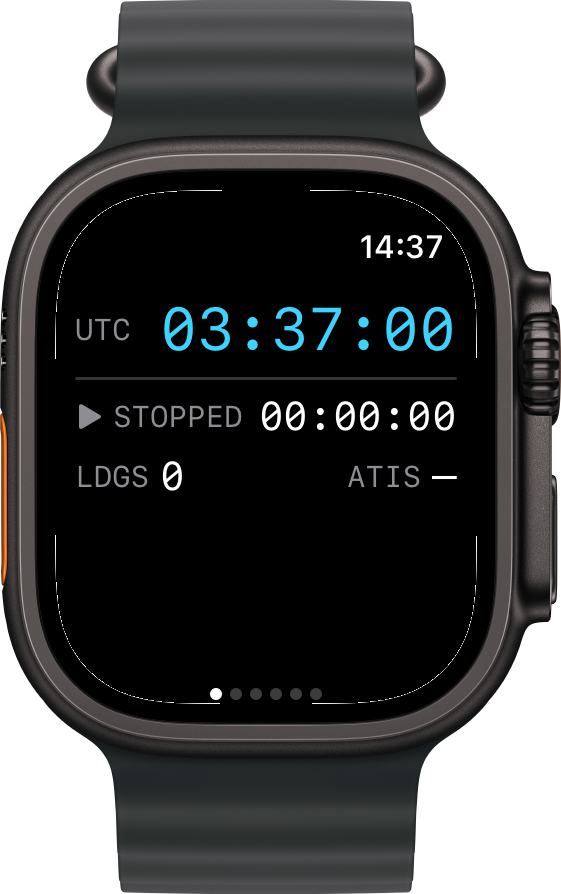
A cockpit is loud and the radio matters more than any app. With an Apple Watch, FLT's pilot aids are haptic warnings tapped in Morse code on the wrist, so they never intrude on the flying and are invisible to your passenger and inaudible to your instructor.
- Change fuel tank. A "CFT" tap at :00 and :30, or a certain number of minutes from engine start, on the schedule you choose to match your school's SOP.
- Cleared altitude. Set your cleared altitude or training limit and feel "ALT" every 30 seconds while you are above it, even when your attention is on the downwind checks. Useful under controlled airspace steps.
- Cleared circuit direction. Tap the tower's Left, Maintain or Right on the watch and glance at it on the status screen until you are established crosswind.
- At a glance. Engine time and landing count as watch complications, with UTC alongside local time on the status screen.
Landing analysis
Every landing is measured and graded after the flight
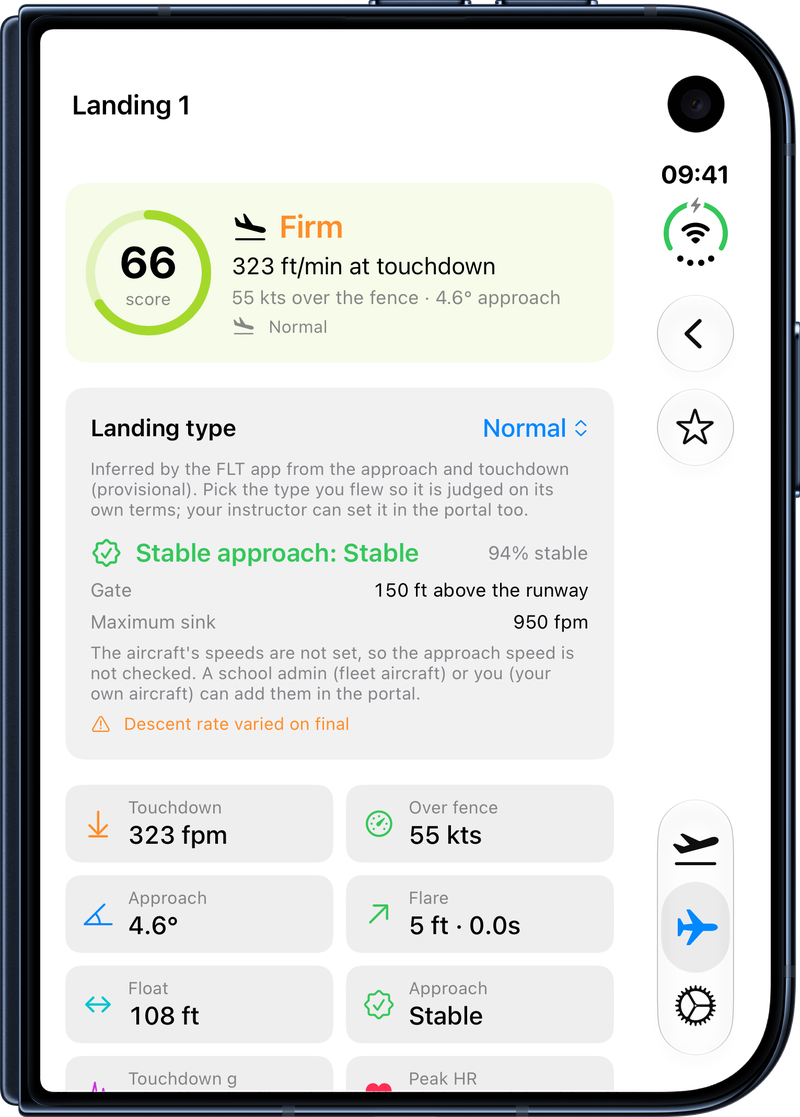
After the flight, each counted landing is analysed from the recorded telemetry and drawn as a side-on touchdown profile, the way it would look from beside the runway.
- Touchdown. Sink rate at contact and a firmness band from greaser to hard, with touchdown g and peak heart rate where recorded.
- Approach. A stabilised-approach gate at 150 feet, approach angle against a 3° ideal and descent-rate consistency.
- Flare, float and bounce. Flare height and duration, hold-off distance and rebound detection.
- Ground roll and centreline. Roll-out length and lateral tracking.
- A score and a grade. Every landing gets a score out of 100, and Landing Trends charts touchdown rate and quality across your recent flights so you can see whether they are improving.
FLT's landing and turn scores are calibrated against recorded flights and are still being refined. We welcome feedback from our early stage testers if FLT generates summary output that differs from the reality of your flown sortie, and we'll work with you to identify the gaps and further refine our algorithms to suit your particular aircraft type or flight scenario.
Turn analysis
Practice turns are found in the flight and scored
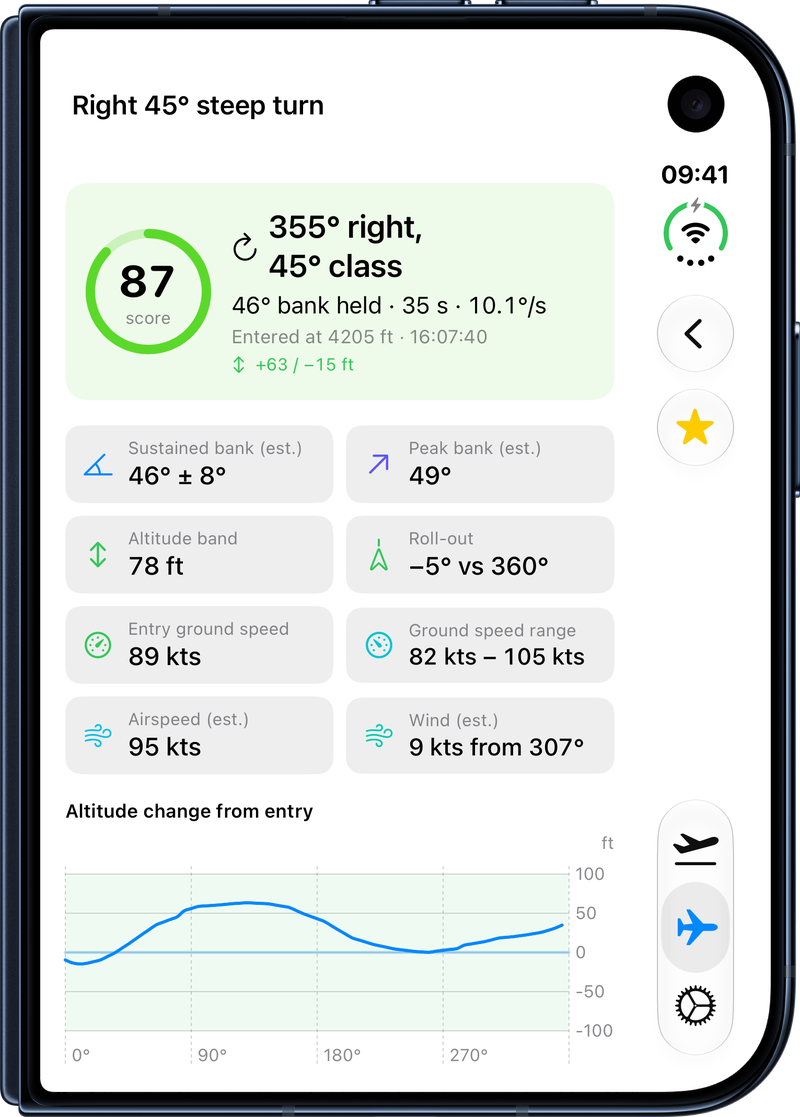
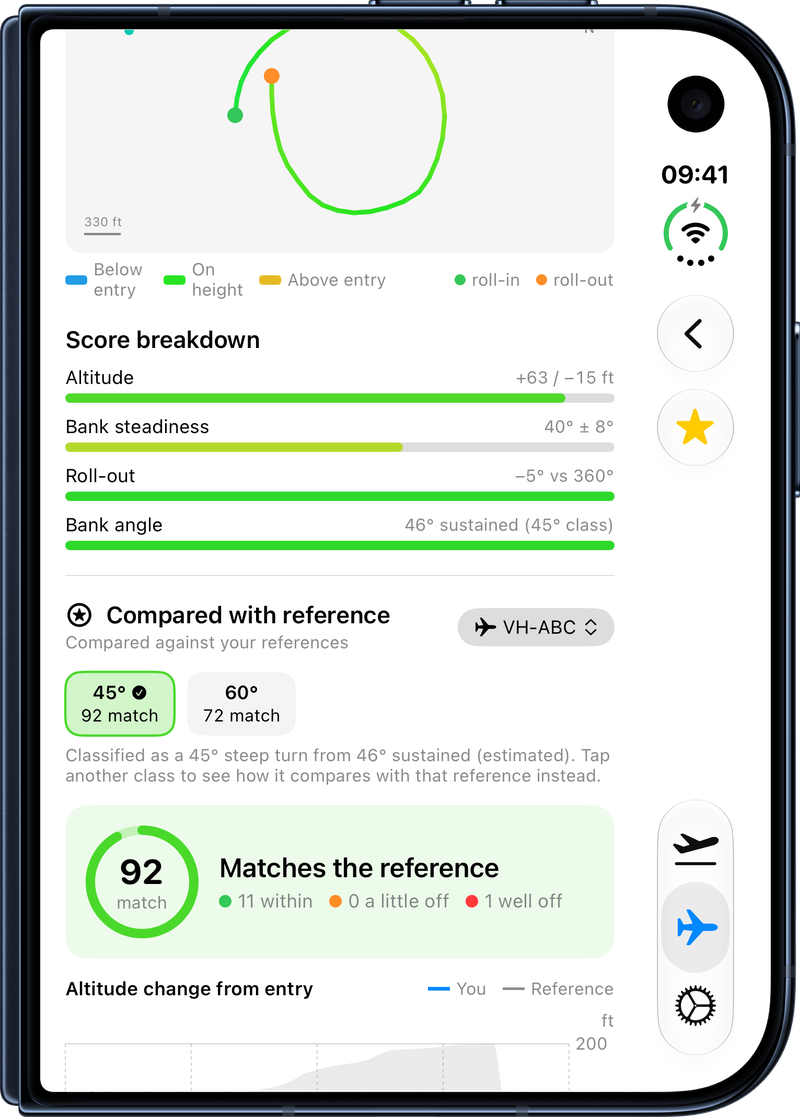
FLT finds sustained practice turns in the stored flight and classes each one as a 30° medium, 45° steep or 60° steep turn from the bank held through its middle. Circuit turns are excluded from the analysis, even if they're steep, so we don't confuse manoeuvre practice with circuit necessity.
- Scored on what matters. Altitude hold, bank steadiness, roll-out accuracy and bank against the class.
- Charted against heading turned. Altitude, bank, load factor and speed through the turn, with a ground-track plot and the estimated wind arrow.
- Calculations where data isn't available. Bank, airspeed and wind are estimated from ground track and speed. When the flight recorded load factor, bank is measured from it instead and takes precedence.
Instructor references
Compared with your instructor, not a textbook
Star any landing or turn as a reference, typically an instructor's demonstration, with the aircraft registration and the turn class. FLT deconstructs each reference into its key metrics and resampled traces, averages them into a mean-and-spread profile for that manoeuvre type, and compares every other manoeuvre of that kind, in that aircraft, against it.
- A similarity score out of 100, and each trace overlaid on the reference band.
- A per-measure table with within, a-little-off and well-off verdicts.
- Plain-language tips that quote your numbers and the reference's, name the usual cause and say where in the manoeuvre the difference arose.
- Switch the class. A turn classed as 45° is shown against the 45° references by default, with one tap to see the 30° or 60° demonstrations instead.
If you're training with a flight school using FLT your school can prepare a full set of reference flights as part of your syllabus materials, so you can start your comparisons from your very first flight.
Learn more about how flight schools can share reference sets with students →
Manoeuvre library
Stalls, emergency descents, take-offs and more, found in the flight and measured
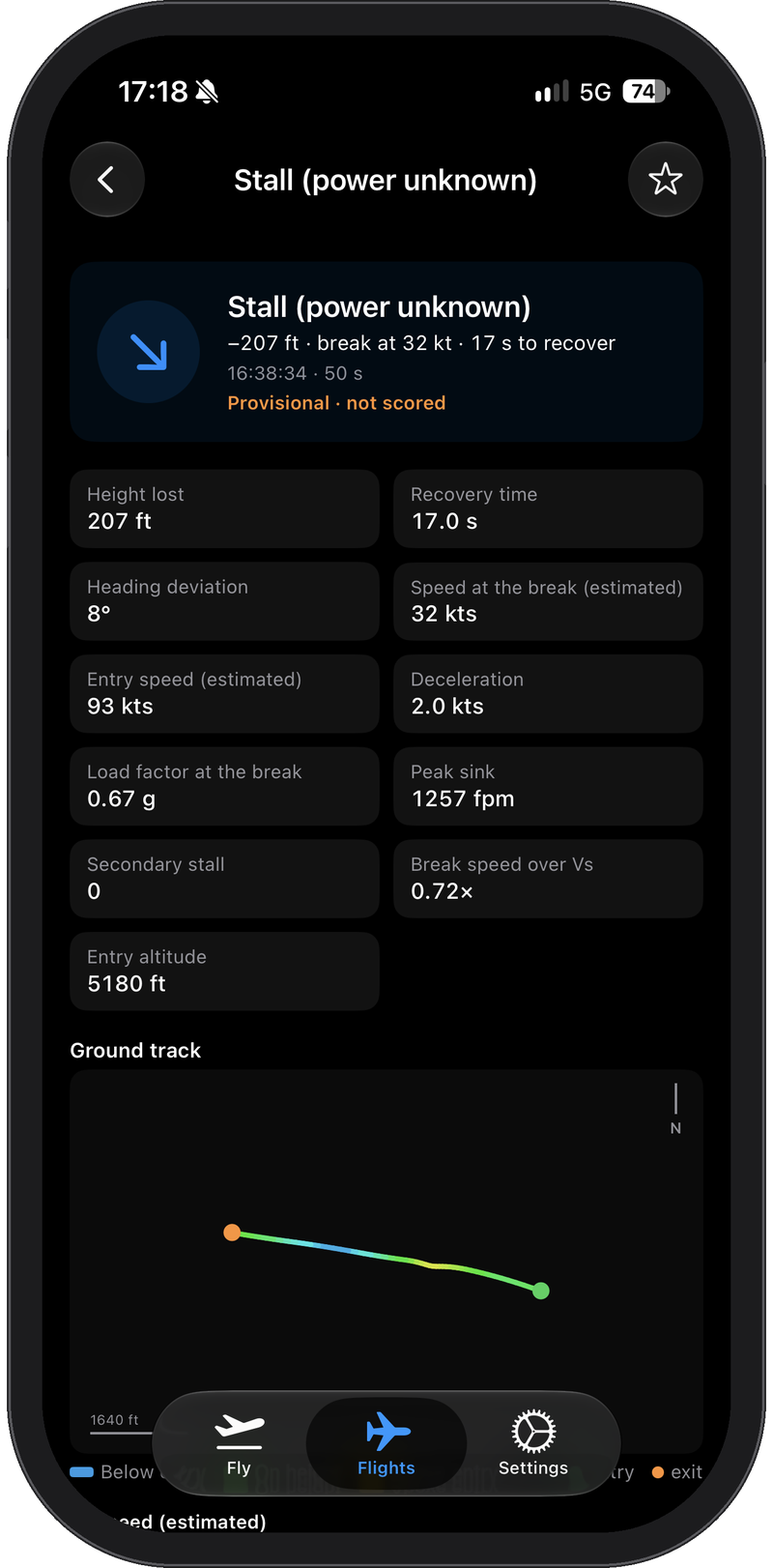
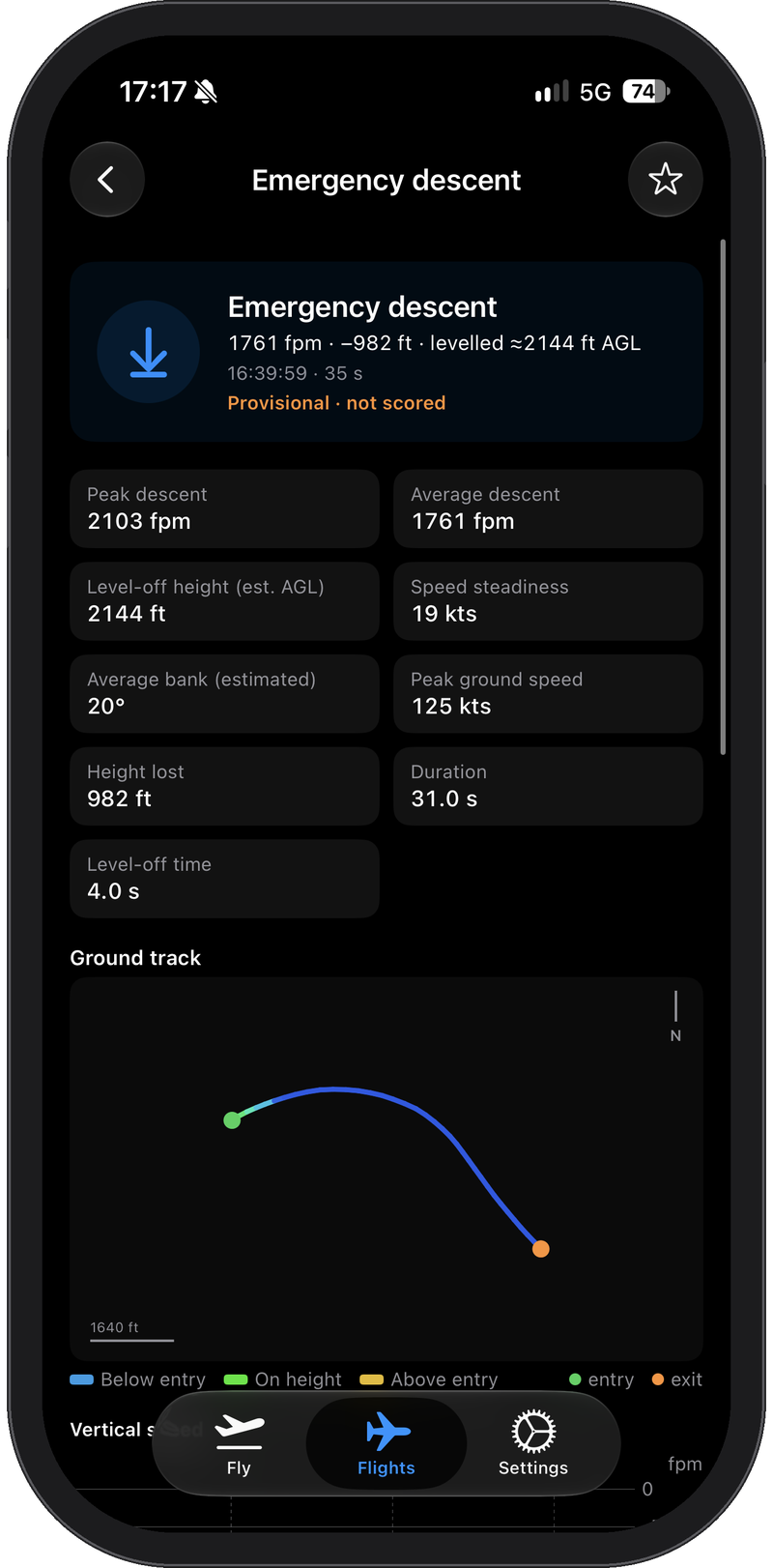
Beyond landings and turns, FLT looks through each flight for the manoeuvres of a training syllabus and reports what the data shows for each one. Every kind in the library is labelled Provisional until it has been flown enough to calibrate, and these are measured, not scored.
- Stalls. Height lost, speed at the break, time to recover, heading deviation and load factor at the break, with the airspeed estimated from ground speed and the reported wind.
- Emergency descents. Peak and average descent rate, the level-off height above ground, height lost and how long the level-off took.
- Take-offs, S-turns, chandelles, lazy eights and slow flight, each with its ground track and the traces that matter for that manoeuvre.
Logbook
A record you can fill your logbook from
Engine time, landings and track are captured for you, so the paper logbook can be filled in from the record instead of from memory.
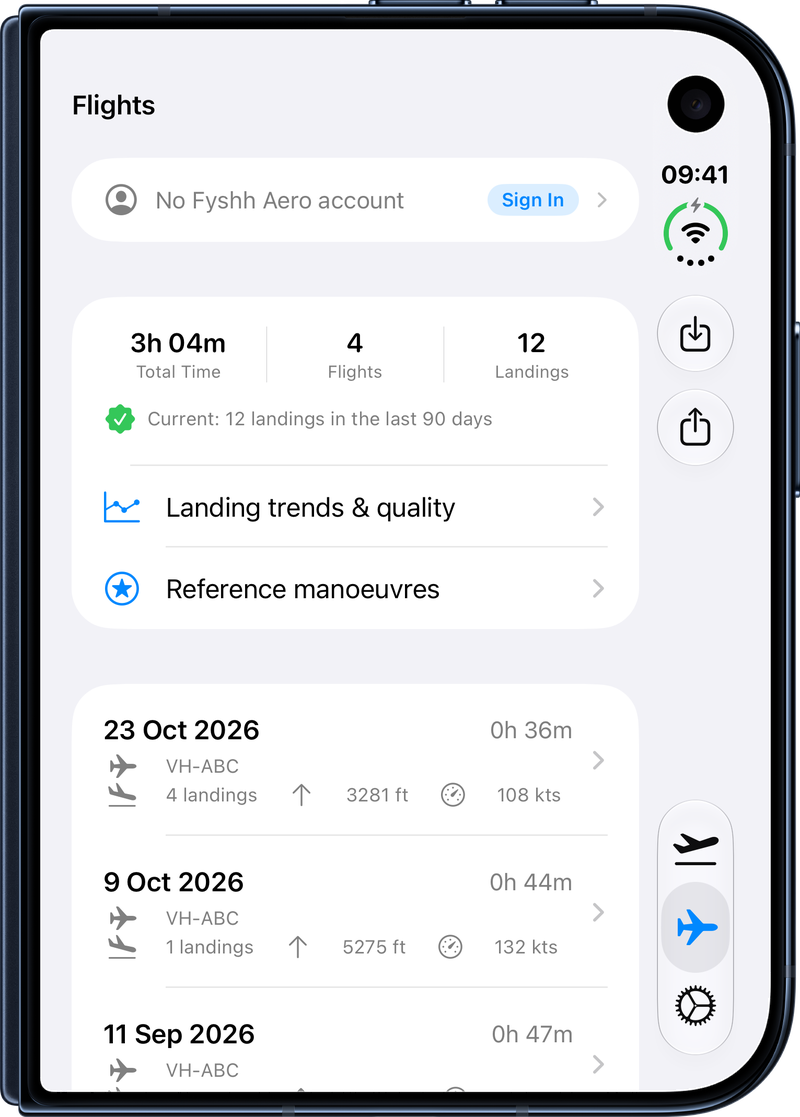
- Every flight in one list with map track, altitude and speed profiles you can scrub and play back, notes, aircraft registration, go-arounds and landings.
- Export anything. Export logbook entries or the raw telemetry of any flight as CSV, to import into any third-party tool you like.
- Currency at a glance. A 90-day currency check from your recorded landings, which a paper logbook does not always capture, and a record you can show when returning to training or hiring an aircraft somewhere new.
- Re-analyse on request. When our detection algorithms improve, you decide whether an old flight is replayed through the new logic. FLT never updates your flight records without your permission.
Storage and sync
Your data stays on your own devices
- On the device first. Flights are stored on the iPhone and the watch.
- Backed up to your iCloud. With iCloud on, flights are mirrored to your private iCloud database and follow you to your other devices. Deleted flights stay deleted.
- Settings in step. Settings sync both ways between phone and watch.
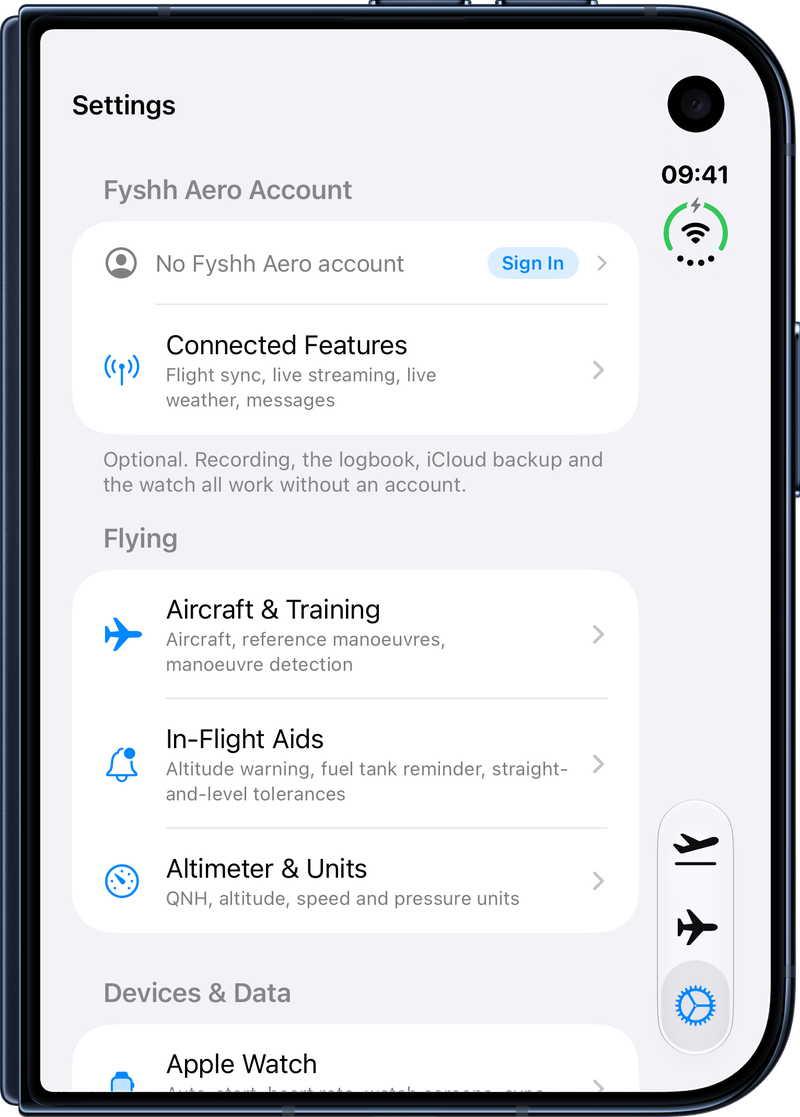
- Accounts are optional. Recording, the logbook and landing counts work without signing up for anything and will always be free to use, and without an account nothing about you reaches us.
- Sync when you want it. With a free Fyshh Aero account and the sync switch on, each flight is uploaded after it ends to your own private space in Australia, so it is waiting for you on the web dashboard. Each flight is private, or shared with your flight school: your choice, flight by flight.
The web dashboard
Debrief on a big screen, and let your instructor watch the solo
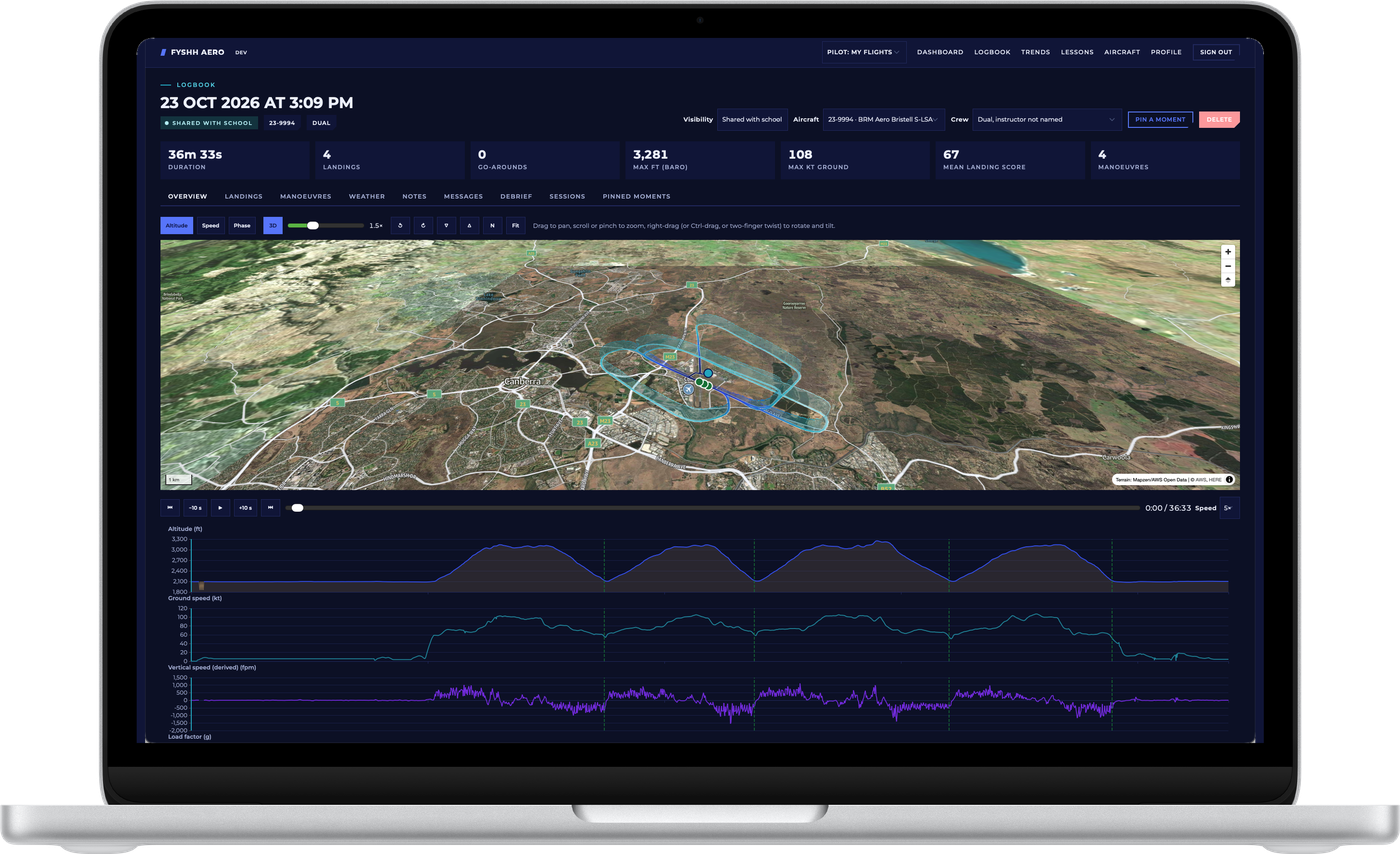
Sign in at app.fyshh.aero and your synced flights are there. With the Standard subscription the dashboard becomes a full debrief tool, and the people you choose at your flight school can use it with you.
- The flight in 3D. The track drawn at height over real terrain, coloured by altitude, speed or phase, with altitude, speed, vertical-speed, load-factor and heart-rate profiles that scrub together.
- Every landing and manoeuvre. Touchdown profiles, scores and components, each manoeuvre's traces and ground track, and the comparison against your school's reference, as the app computed them.
- Pinned moments. Pin a moment on the timeline with a note; your instructor can do the same, and their notes reach the app as read-only instructor notes.
- Live streaming. Arm it for a flight and your linked instructor watches the solo as it happens, with a check-in or a pre-set message you answer with one tap on the watch. Private flights are never streamed to anyone.
- Trends and weather. Landing scores and touchdown rates across your last ten to all of your flights, and the ATIS or METAR the app used for QNH on each flight.
Only shared flights are visible to a school, and only to the instructors linked to you and the school's admins. A private flight is filtered out before it leaves the database. Delete a flight and it leaves the portal at once; delete the account and everything goes with it.
In flight
Small things that help in the cockpit
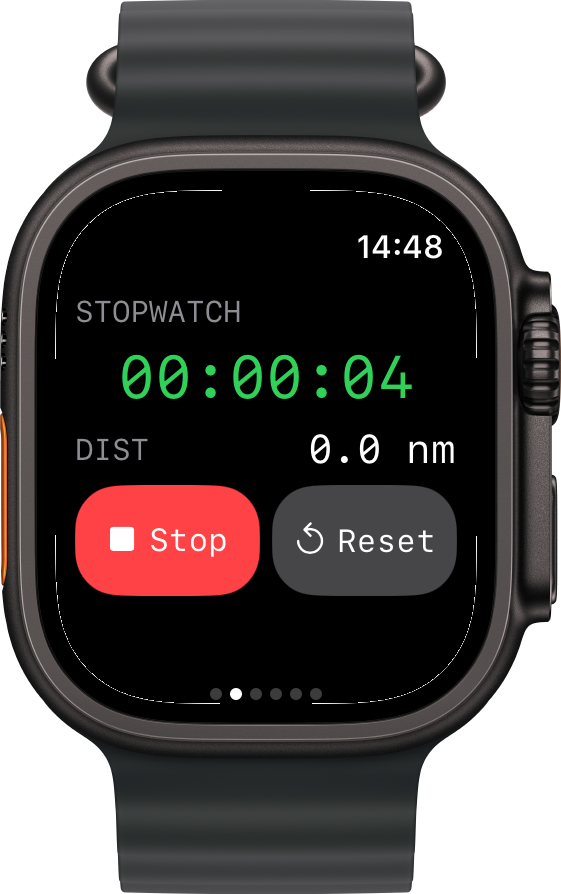
- Distance & Time Counter. Start the in-app stopwatch and simultaneously record both elapsed time and ground distance covered. The last 5 recordings are saved for quick reference, perfect for Precautionary Search & Landing training.
- Heart rate, if you want it. Heart rate monitoring is off by default; turn it on and the watch logs heart rate with each sample to give you a reference for stress levels and alertness across each flight. An 'other' workout is tracked during flight and can be automatically discarded after landing unless you choose to save it to your Workouts to contribute to your daily activity rings.
- Two devices, one flight. When phone and watch both record, FLT treats them as two independent instruments and fuses the recordings, each filling the other's gaps, into one stronger logbook entry. The originals are kept.
Requirements
What you need
iPhone
iPhone with iOS 26 or later. In phone-only mode FLT records the whole flight from the phone alone, in a pocket or on a mount, so the cost of entry is a device most students already own.
Apple Watch, optional
Apple Watch with watchOS 26 or later adds wrist reminders, complications, optional heart rate and a second independent recording.
Any aircraft
FLT needs nothing installed in the aircraft and works offline in a rented or club aeroplane. The optional COM device adds cockpit audio and extra sensors through a single headset cable.
Disclaimer
What FLT is not
FLT is not a certified flight data recorder, not an instrument and not a substitute for an instructor. The data from FLT helps you fill in a logbook rather than replacing one.
Landing and turn scores are calibrated against recorded flights and reference data which may change over time. Bank, airspeed and wind in turns are estimated from ground track unless the flight recorded load factor. FLT cannot know what you intended to fly, only what the data shows.
See how it comparesFLT is only to be used for training purposes, and is not certified for in-flight operation. Please use FLT sensibly and at your own risk.
Get FLT
Take it on your next circuit session