

For flight schools and instructors
FLT measures every student against the standard your instructors set.
Fly the demonstrations once, and every student who imports your reference set sees their own landings and turns drawn over yours, in the same aircraft, with the differences explained in plain language.
The school's own portal at app.fyshh.aero shows every shared flight for debrief, each solo as it happens, and a dashboard of the day's flying, while the reference data belongs to you as a competitive edge for students considering their training options.
Students subscribe to FLT themselves, so the platform can cost your school nothing, or the school pays for its students month by month at a discount. See what it costs.
Why references
"That felt firm" becomes a number you can both look at
A debrief runs on memory: the instructor's of what they saw, the student's of what they felt. The FLT app gives both of you the same record: the sink rate at touchdown, where the flare began, how steady the bank was through a steep turn.
Scoring against a generic ideal only goes so far. Aircraft differ, schools differ and instructors teach a technique for a reason. That's why FLT compares a student's manoeuvre with your school's own textbook demonstration of it, flown by your instructor in your aircraft.
The standard is the school's, not ours. FLT measures the distance between what the student flew and what the instructor showed them. Your school owns the reference data to use in your own training as you see fit.
How it works
Four steps from your instructor's flight to every student's phone
A reference set is built across as many flights, instructors and reference aircraft as you like, and bundled up by FLT to share as a single file that goes from your device to the student's phone, or published from the school portal so every enrolled student receives it and each update automatically.
Fly the demonstrations
An instructor flies the school's standard landings and practice turns with FLT recording, in the aircraft students will fly. A normal training flight is all that's needed to start the process, and triggering the recording is a one-tap item that can sit in the school's checklist as a standard procedure.
Star them as references
After the flight, star each demonstration landing or turn. Each carries the aircraft registration, and turns carry their class: 30°, 45° or 60°, which you can override. If any of the manouevres aren't up to instructor standard, simply exclude them from your reference set.
Export the set as a file
FLT writes the references to a single reference-set file you can keep, version and send however you like: AirDrop, Mail, a shared drive.
Students import it
A student opens the file from Files, Mail or AirDrop. Every landing and turn they fly in that aircraft from then on is compared with your references. Updates can be re-imported as you re-fly manouevres, update training practices or add new aircraft to your fleet.
What students see
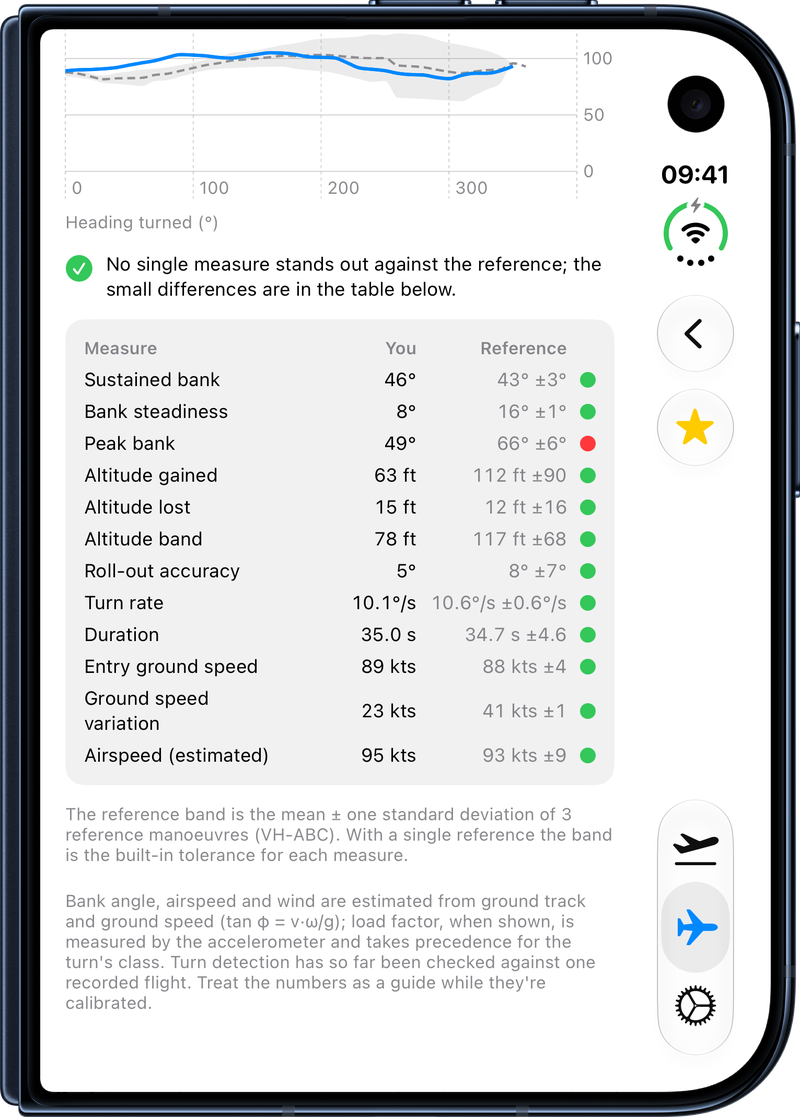
Every difference is drawn, tabulated and explained
- A similarity score out of 100 against the reference profile for that manoeuvre, class and aircraft.
- Traces over the reference band. Altitude, bank and speed through a turn, or the touchdown profile of a landing, drawn over the instructor's mean and spread.
- A per-measure table with within, a-little-off and well-off verdicts for each metric.
- Plain-language tips that quote the student's number and the reference's, name the usual cause and, where the trace shows it, say where in the manoeuvre the difference arose.
- One tap to change class. A turn classed as 45° is shown against your 45° demonstrations by default, and can be checked against the 30° or 60° set instead.
The school portal
Every shared flight, every live solo and every student in one place at app.fyshh.aero
An instructor signs in to the web portal and works as the school. Students decide, flight by flight, whether a flight is private or shared with the school; only shared flights appear here, and private ones never do.
A dashboard of the school's flying
The home page shows the students, hours, landings and nautical miles flown over the period you choose, a map of every student flight streaming at that moment, and the day's shared flights as a debrief list, each one a click from its full record.
Post-flight debrief on a big screen
Each flight opens on a 3D terrain map with the track drawn at height, synchronised altitude, speed, vertical-speed, load-factor and heart-rate profiles, playback with a shared cursor, every landing's touchdown profile and score, every detected manoeuvre against the school's reference, and the weather the student flew in. Pin a moment on the timeline with a comment and it reaches the student's FLT app as an instructor note.
Watch a solo as it happens
When a student streams a flight, its position, altitude, speed and landing count arrive every few seconds. A linked instructor watches it on the terrain map with the telemetry tapes beside it, and can send a check-in or a pre-set phrase that the student answers with one tap on the watch, never by typing. The radio always takes precedence; this is an aid for solo supervision.
Students, records and currency
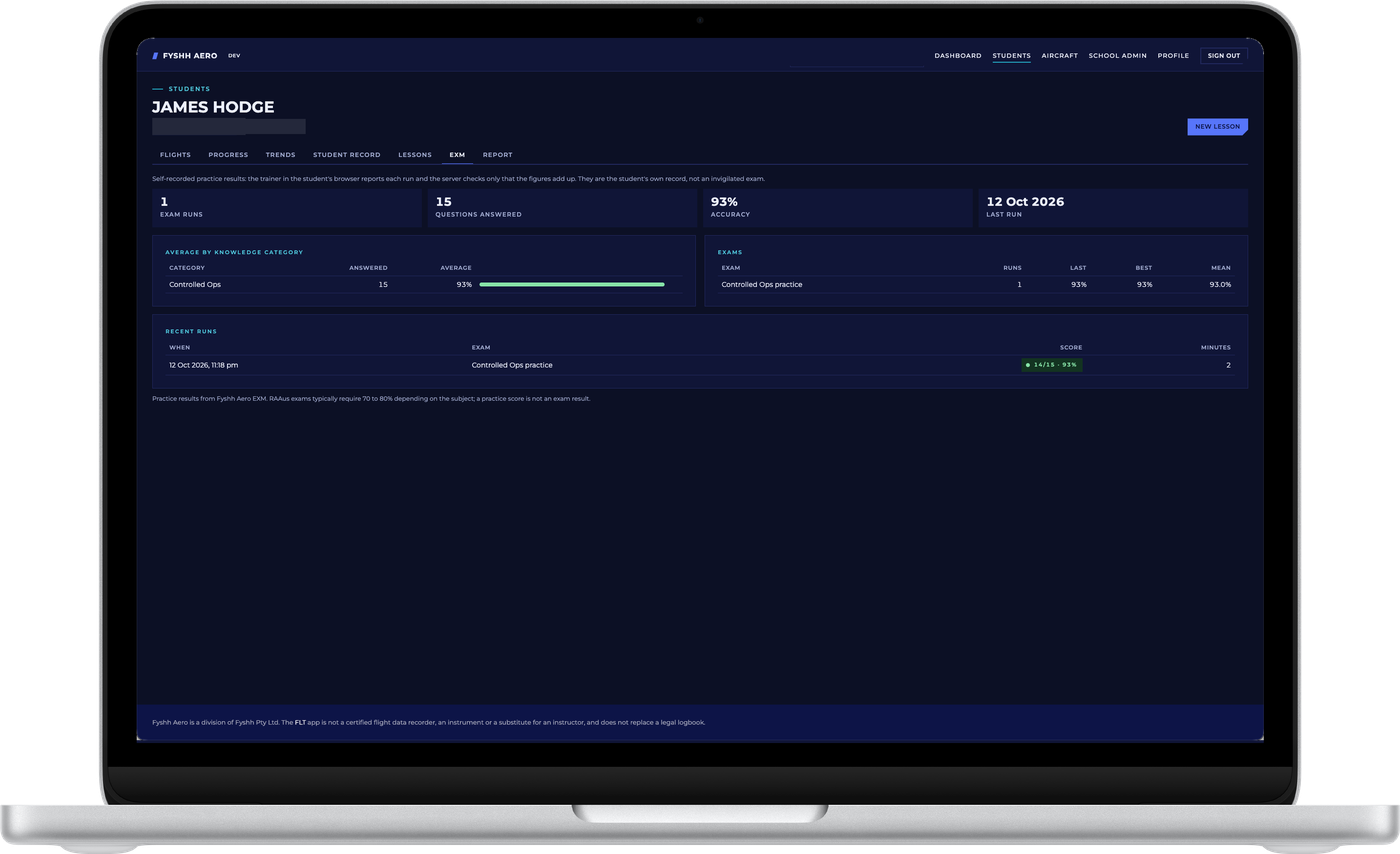
Find a student by name, e-mail, stage of training or last flight. Each student has their shared logbook, the school's own record of training type, preferred instructor, licences with their expiry, milestones such as first solo, and a currency snapshot from the landings and hours they have flown recently. Invite a new student by e-mail; they sign in, accept, and their shared flights appear.
The fleet
The school's aircraft, looked up from the CASA, RAAus and FAA registers, appear in every student's FLT app for one-tap selection. The portal totals flights, hours, landings and distance across every pilot who flew each aircraft, beside the maintenance dates the school records.
Lessons, reports and references
Instructors log lessons against the school's syllabus, request student and school reports, and publish the reference library to enrolled students. School admins manage instructors, members, enrolment codes and billing from the same place.
The portal shows what the FLT app computed on the student's phone and never recomputes a score. Landing and turn scores are calibrated against recorded flights and still being refined, and the portal labels them provisional as the app does. Tour the web portal, for pilots and for schools →
For the school
Practical details
What is in a reference set
Manoeuvre measurements and traces, the aircraft registration, the dates flown and any label or notes the exporter typed. No positions and no personal identifiers, unless you type them into a label.
Matched by aircraft
References are matched to a student's flights by aircraft registration, and for turns by class. Each flight records the registration from a current-aircraft setting, editable per flight.
Nothing installed in the aircraft
Students need only the app on their own phone, and the reference set is a file you control or a library you publish from the school portal. Reference comparison is part of the Standard subscription, which students hold themselves or the school provides. See what it costs.
What students need
Students need an iPhone with iOS 26 or later, with an Apple Watch optional, and recording, the logbook and landing counting all work from the phone alone. A free Fyshh Aero account joins them to the school; the Standard subscription unlocks the analysis and the live and debrief tools.
COM for the fleet
The optional COM device gives instructors a transcript of a student's radio work and the school a record of the radio environment its students trained in, carried between aircraft like a headset. COM is coming soon.
What it costs the school
Students pay for their own subscription, or the school pays for them month by month
The school account, the portal, the dashboard and the reference library cost the school nothing. The Standard subscription that unlocks analysis, live streaming and the web debrief is per pilot, and a school chooses how it is paid.
Students pay
Each student subscribes to FLT themselves at $19 AUD per month or $199 AUD per year, in the app or at app.fyshh.aero, and keeps the subscription when they leave. Recording, counts, the logbook and a free account with the web dashboard cost nothing, so a school can put FLT into its syllabus without a budget line.
The school pays
Switch the school account to "the school pays" and every active student holds a Standard seat for as long as they are part of the school. Seats follow enrolment automatically: a student who joins is covered at once, a student who leaves is not paid for after that month, and there is no annual fee.
- One to ten students: 10% off, $17.10 AUD per student per month
- Eleven or more students: 20% off, $15.20 AUD per student per month
Prices include GST. The school enters a card once in the portal's billing page and receives a monthly invoice there. Early testers of FLT receive the Standard subscription free for life, and a school's early testers keep it whichever way the school pays. Full pricing and the feature matrix.
Military and cadet training
Where no commercial reference data exists, the unit captures its own standard
The advantage is arguably sharpest in military training, where trainees fly aircraft almost nobody else can access, no commercial reference data exists for the manoeuvres flown in them, and much of the syllabus is flown solo with instructor feedback confined to the pre-brief and the debrief.
FLT lets a squadron capture its own standard from its qualified flying instructors and measure every solo sortie against it, and COM keeps a record of every clearance the student received, with nothing permanently fitted to the aircraft. That suits a smaller air force training on older equipment as well as it suits a club.
The pilot's own devices and a unit that plugs into the headset circuit leave the aircraft's configuration untouched, which matters most where modification approval is hardest to obtain.
Work with us
Interested in using FLT at your school?
As we build out FLT we would love to hear from instructors and schools who want to try reference sets with their students. Drop us an email and tell us about your training plans to see how we can help.